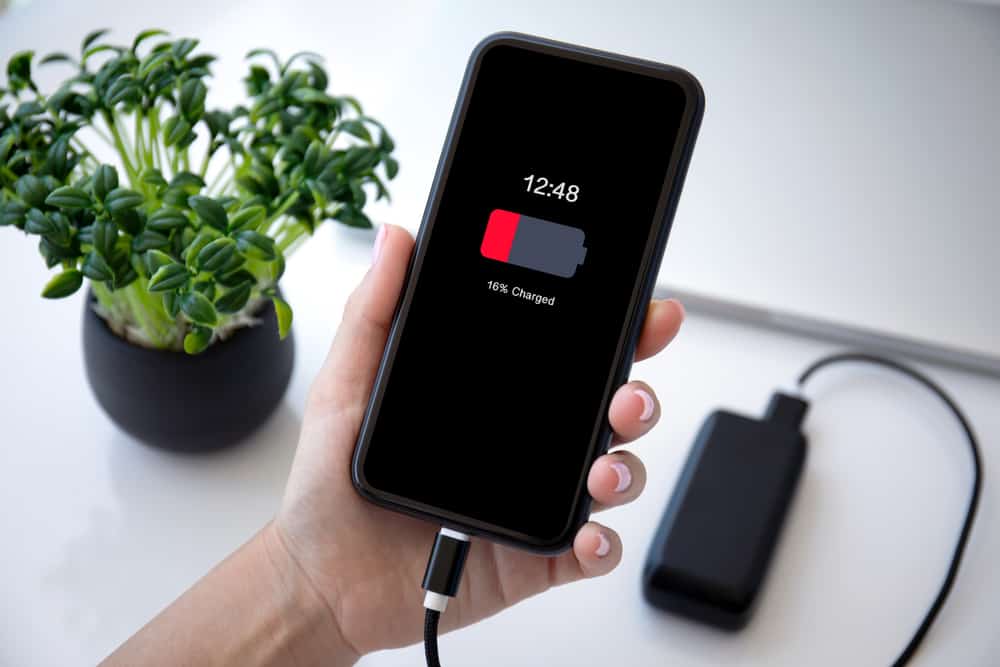
Is Your Phone’s Battery Health Declining? Let’s Solve the Mystery Together! | Ugratara Battery Guide
Is your phone battery draining fast or shutting down unexpectedly? Learn the signs of poor battery health and practical tips to extend battery life. Get free battery checks at Ugratara Nepal.
Is Your Phone’s Battery Health Declining? Let’s Solve the Mystery Together! 🔋
Does your phone die before the day ends? You’re not alone. Many smartphone users experience faster battery drain after a year or two — but understanding why can help you fix it.
At Ugratara, we’ve helped hundreds of customers improve their phone’s battery life with simple, smart changes. Here’s how to identify the problem and keep your battery running longer.
Step 1: Know How Your Battery Works
Think of your battery like a water bottle. When it’s new, it holds a full charge. Over time, wear and heat reduce its capacity — but with good habits, you can slow this down.
Step 2: The Top 5 Battery Drainers (and How to Fix Them)
1. Bright Screen = Big Drain
🌞 Lower brightness or turn on Auto-Brightness.
🌚 Use Dark Mode for better efficiency.
2. Background Apps = Silent Killers
Close unused apps and disable background refresh in Settings > Battery Usage.
3. Location Services
Set permissions to “While Using App” only. Disable GPS when not needed.
4. Push Notifications
Turn off notifications for non-essential apps or schedule “Do Not Disturb” hours.
5. Weak Signal
Use Wi-Fi calling or enable Airplane Mode when you’re in low-signal areas.
Step 3: Smart Charging Habits That Extend Battery Life
🔋 Use the 20–80 Rule: Keep charge between 20%–80%.
🔥 Avoid Overheating: Never charge in direct sunlight or near heat.
⚡ Use Certified Chargers: Cheap ones damage batteries.
🌙 Overnight Charging: Okay for modern phones, but unplug once full if possible.
Step 4: Signs It’s Time for a Replacement
Visit Ugratara if:
- Your phone dies suddenly at 30% or higher.
- You charge more than twice daily.
- The phone heats up during normal use.
- The battery looks swollen (⚠️ safety risk!).
We provide free battery health checks, genuine replacements, and certified chargers — all with expert installation and warranty support.
Step 5: Your Weekly Battery Health Plan
✅ Today: Enable Auto-Brightness and check top battery-draining apps.
✅ This Week: Start following the 20–80 charging habit.
✅ Every Month: Review background apps and GPS settings.
Stay Powered with Ugratara ⚡
Your phone deserves care — and so do you! Visit Ugratara for a quick, free battery health check. No pressure, no hidden fees — just honest help from friendly tech experts.
Keep your phone healthy, your day productive, and your battery full of life.
Popular Posts





Recent Posts
-

Is Your Phone’s Battery Health Declining? Let’s Solve the Mystery Together! | Ugratara Battery Guide
Oct 29, 2025 | admin
-

Protect Your Tech: Basic Habits for Longer-Lasting Devices COMPUTER TEACHING CENTER ACTIVITIES DEPARTMENT
Oct 29, 2025 | admin
-

Smart Home Made Easy: Your Friendly Beginner’s Guide to Getting Started! ????
Oct 29, 2025 | admin
-

Is Your Wi-Fi Slow? Let’s Fix It Together! ????
Oct 29, 2025 | admin
-

5 Easy Indicators That It’s Time to Replace Your Smartphone (And What to Look for in Your New One)
Oct 29, 2025 | admin
-

Bridging the Digital Divide: How Ugratara is Building a Connected Nepal
Oct 28, 2025 | admin
-

The Homeowner’s Secret Weapon: How Regular Appliance Maintenance Saves You Time, Money, and Stress
Oct 28, 2025 | admin
-

The Ultimate Guide to Choosing Your Perfect Smartphone in 2024
Oct 28, 2025 | admin